What’s Coming in the October 2025 Wave Release for the Microsoft Power Platform
The Power Platform is evolving faster than ever and Microsoft’s October 2025 Wave Release is one of the most feature-rich updates yet. This release delivers more than new tools: it represents a significant leap forward in AI-driven productivity, governance, and enterprise security, helping organisations of every size build, automate, and scale with confidence.
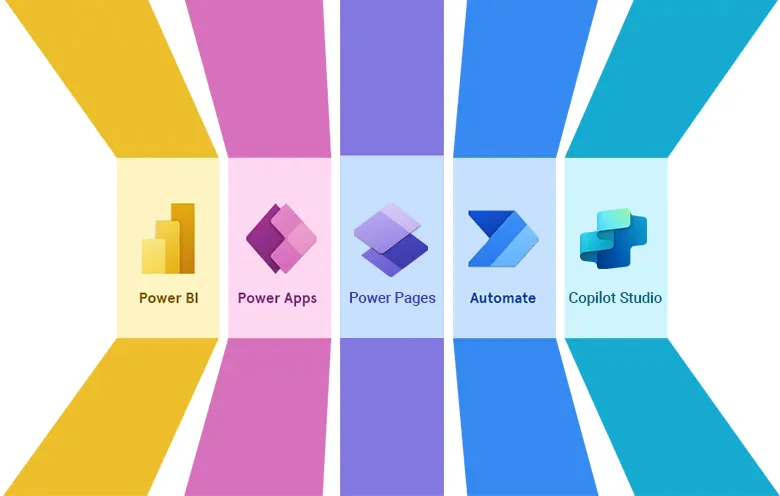
From modernised interfaces that reduce training time to intelligent Copilot capabilities that cut manual effort, the updates span Power Apps, Power Automate, Copilot Studio, and Power Pages, giving both makers and administrators powerful new ways to work smarter.
If you missed our live webinar, here’s a comprehensive look at the key announcements and how they can help your organisation stay ahead of the curve.
A Modern Look for Model-Driven Apps
One of the most visible changes in this release is the streamlined header and navigation for model-driven apps.
Built on Microsoft’s Fluent Design System, the refreshed layout:
- Aligns Power Apps with the wider Microsoft 365 visual language.
- Reduces visual clutter and simplifies navigation for faster, easier everyday tasks.
- Offers app-by-app enablement, so admins can roll it out gradually while users adapt.
Command bar buttons have been repositioned, icons refreshed, and spacing improved for a more contemporary feel, reducing training needs and lowering cognitive load.
Faster Insights with Data Exploration
The Data Exploration Agent in model-driven apps gets a powerful enhancement:
- Users can now generate and copy charts directly from a view with a single click.
- Copilot analyses the data, surfaces patterns, and creates on-the-fly visuals for quick checks or hypothesis testing.
This isn’t a replacement for Power BI, think of it as a lightweight tool for rapid data triage and validation before committing to full-scale reporting.
Smarter Data Entry with Copilot
Manual data entry continues to shrink thanks to new Copilot-assisted features:
Smart Paste
Copy unstructured text (from emails, Teams chats, or Word documents) and paste it into a record. Copilot extracts key details (names, emails, addresses, job titles) and maps them to the correct fields. Admins can allow per-field approval, giving users control over what is saved.
Form Fill Assist
Take it a step further by uploading files or images (Word, text, CSV, or even PNG screenshots). Copilot scans the content, recognises text, and populates fields automatically dramatically reducing keystrokes and errors.
Both features can be toggled on or off per app, giving makers flexibility over where to enable AI-driven entry.
Power Automate: Desktop Flow Improvements
For Power Automate users, desktop flows are getting a major Copilot upgrade:
- Makers can describe an automation in plain English “Open Excel, copy Column A, paste into App X” and Copilot will generate the flow skeleton.
- New templating ensures a best-practice starting point with built-in error handling and logging.
These enhancements reduce build time, lower the learning curve for RPA, and encourage iterative design.
Human-in-the-Loop Enhancements
A new Request for Information capability expands Copilot’s human-in-the-loop process:
- Flows can now pause mid-execution to request structured inputs (text, numbers, drop-down selections) from a user.
- Returned data is captured as dynamic parameters for use later in the flow.
This is ideal for scenarios where automation requires human confirmation or additional context such as insurance claim details or complex approvals.
Power Pages Security & Compliance Agent
Security takes a leap forward with the Power Pages Security & Compliance Agent, which:
- Continuously monitors for vulnerabilities, phishing risks, or non-compliant configurations (like missing SSL certificates).
- Flags issues such as excessive permissions or trademark infringements.
- Provides actionable recommendations and automated responses through the Power Platform Admin Center, Teams, or email alerts.
This proactive security layer reduces reliance on third-party tools and helps industries with strict compliance needs stay protected.
More Governance & Admin Controls
Several features focus on giving administrators greater control and flexibility:
- Prompt Column Conditionality – Makers can now conditionally populate AI-powered prompt fields, ensuring Copilot outputs only where needed (e.g., high-priority cases).
- Copilot Studio IP Firewall – Limit access to Copilot Studio by IP address to reduce data exfiltration risks. Managed environments can start with “audit-only” mode before enforcing rules.
Why It Matters
This release underscores Microsoft’s commitment to making the Power Platform:
- More user-friendly – Modern design and intuitive navigation.
- More intelligent – Copilot-driven insights, smart data entry, and natural language automation.
- More secure – Built-in governance and proactive compliance tools.
Whether you’re building apps, automating processes, or managing enterprise-scale environments, the October 2025 Wave Release offers tools to accelerate productivity while maintaining control.
Next Steps
Many of these features are already in public preview, with general availability rolling out from October 2025.
To start preparing:
- Review which apps and environments could benefit from the new Copilot and security capabilities.
- Plan phased rollouts to give users time to adapt to the refreshed UI.
- Enable previews in the Power Platform Admin Center to test key features ahead of GA.
For guidance on planning or enabling these updates, get in touch with your mhance account manager or contact a member of our team we’ll help you unlock the full potential of the Power Platform.